If you have several Github accounts (e.g., one for work, another personal), you know what I’m talking about: you try to clone a work repo from your personal laptop and you get an authentication error:

My personal laptop has my personal Github account configured by default. When I try to clone a repo from my work account, I get the authentication error above 👆.
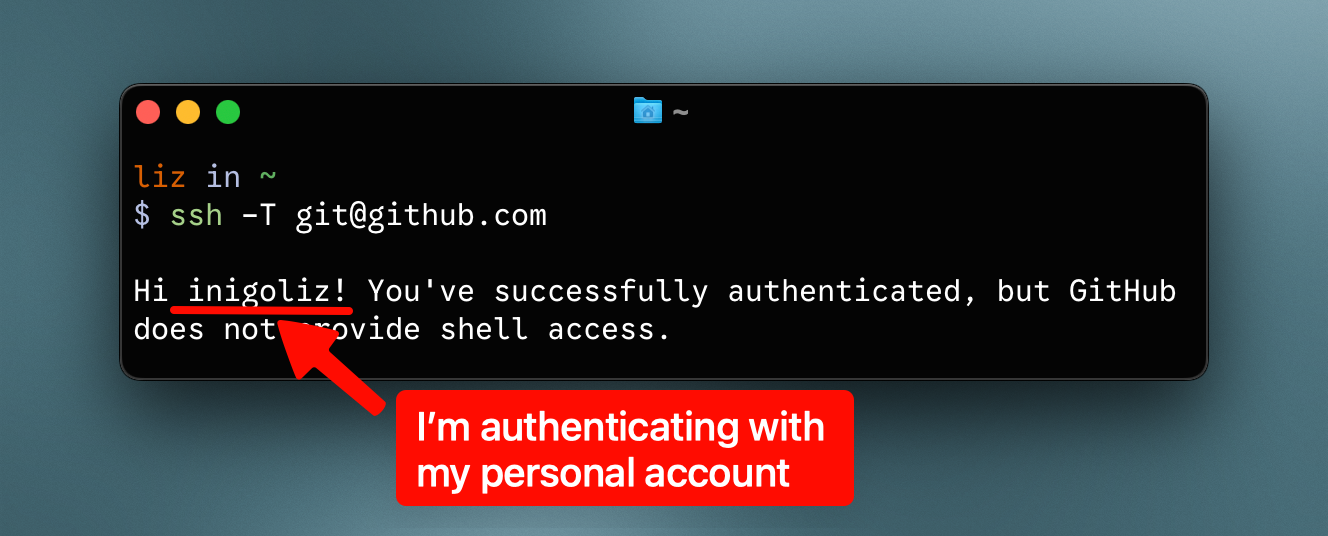
A handy command to check which account Github sees when you authenticate is:
ssh -T git@github.com
The solution
The following alias solves the issue:
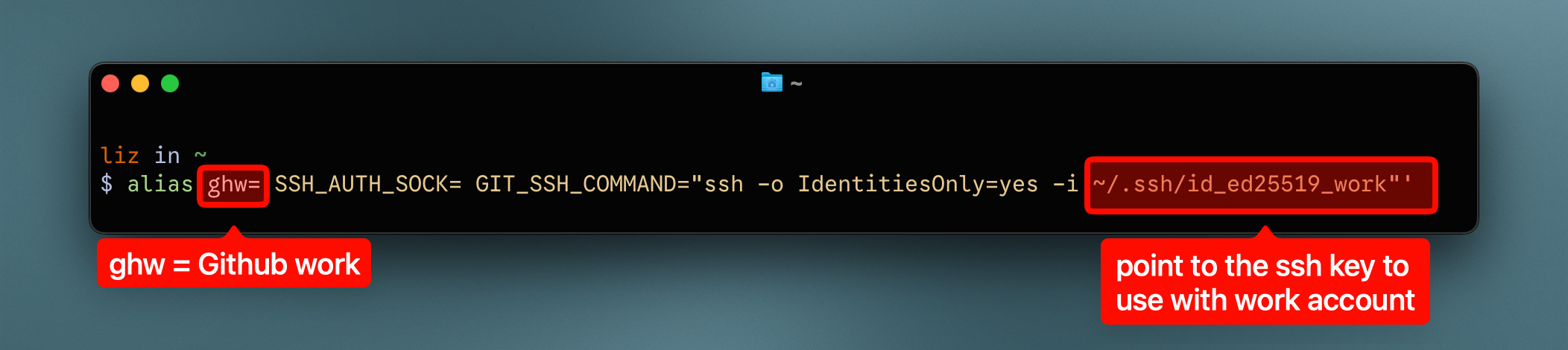
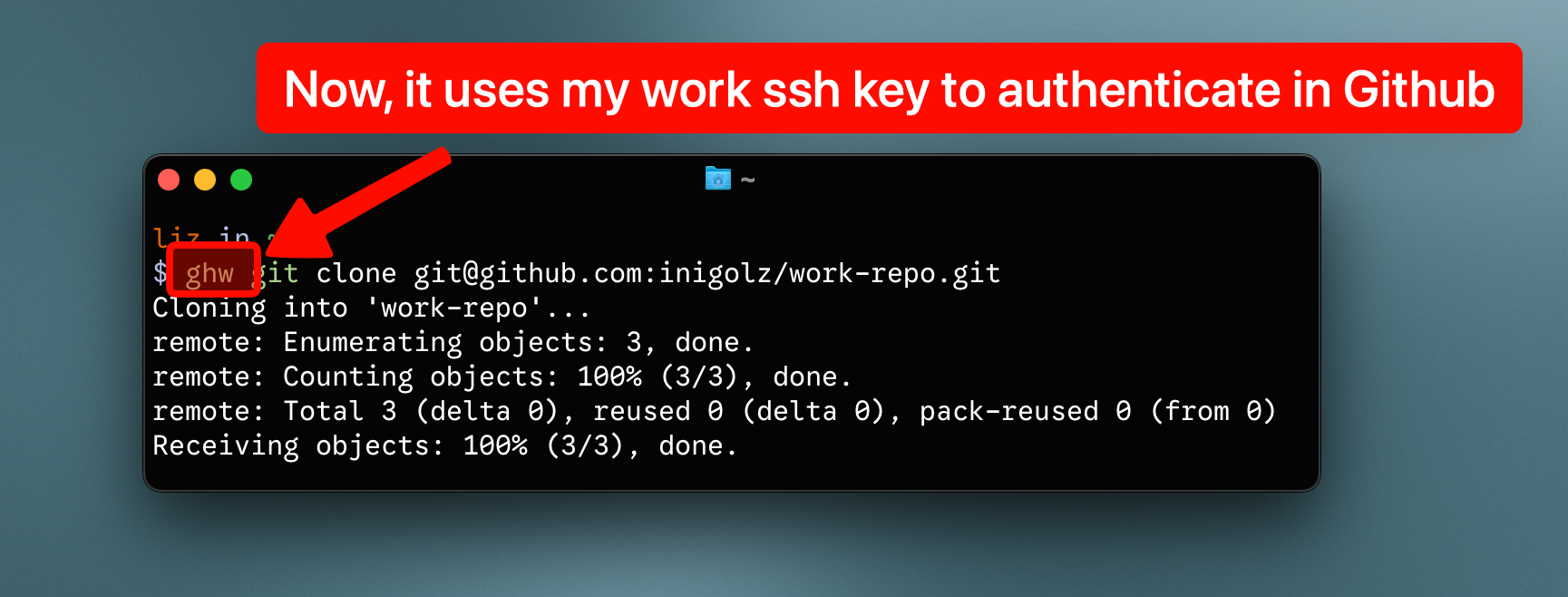
Now, when I do ghw git clone <repo>, I authenticate with my work ssh key.
For copy-paste:
alias ghw='SSH_AUTH_SOCK= GIT_SSH_COMMAND="ssh -o IdentitiesOnly=yes -i ~/.ssh/id_ed25519_work"'
It also works with other git commands:
ghw git clone git@github.com:inigolz/work-repo.git

git add -a
git commit -m "..."
ghw git push  # <-- When pushing, I need to authenticate with my work account again
Ah! And don’t forget to set your username and email in the .gitconfig of your repo:
# repo/.gitconfig
git config --global user.name "Miguel de Cervantes"
git config --global user.email miguel@cervantes.es
Also, if you want to check that Github sees your work command (the one linked to your ~/.ssh/id_ed25519_work ssh key), do:
SSH_AUTH_SOCK= ssh -o IdentitiesOnly=yes -i ~/.ssh/id_ed25519_work -T git@github.com
That’s it!
Other solutions (that I don’t like)
The canonical way to address this issue is to modify the ~/.ssh/config by adding two different hosts, one for your personal account and another for your work account:
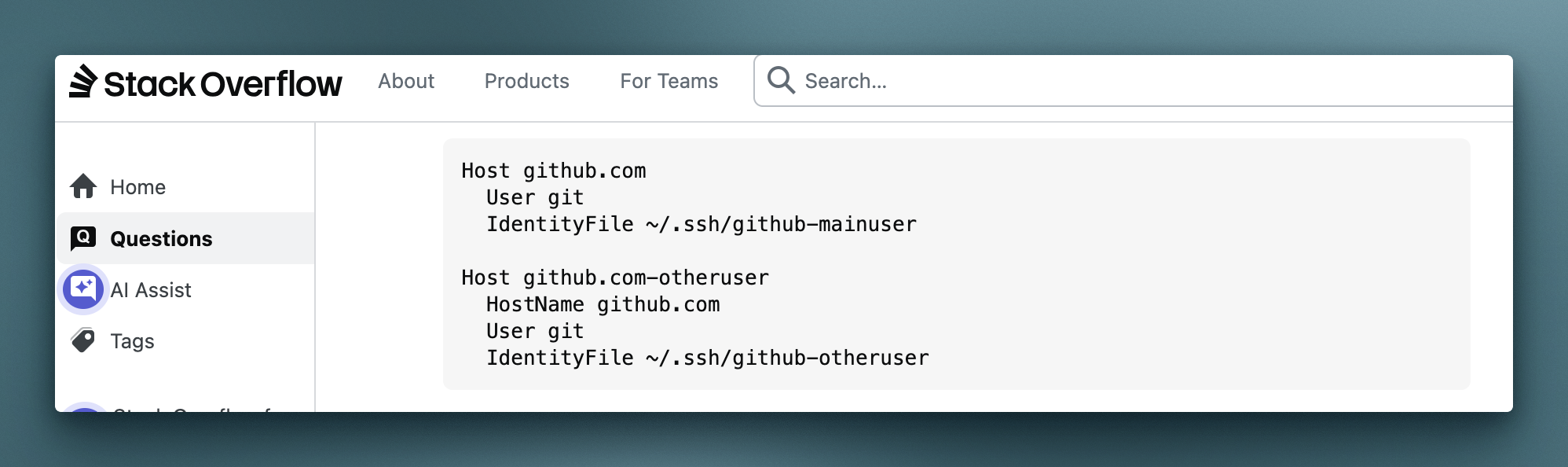
I personally don’t like that solution.
It means that you have to modify the url’s of the repo before proceeding, which is cumbersome.
# For cloning work projects
git clone git@github.com-otheruser:yourcompany/repo.git
Plus, I feel that simply adding ghw before the git command to run is a more transparent way to say ‘use work account to authenticate in github’.